Building a WordPress Website in India: The Complete 2026 Guide
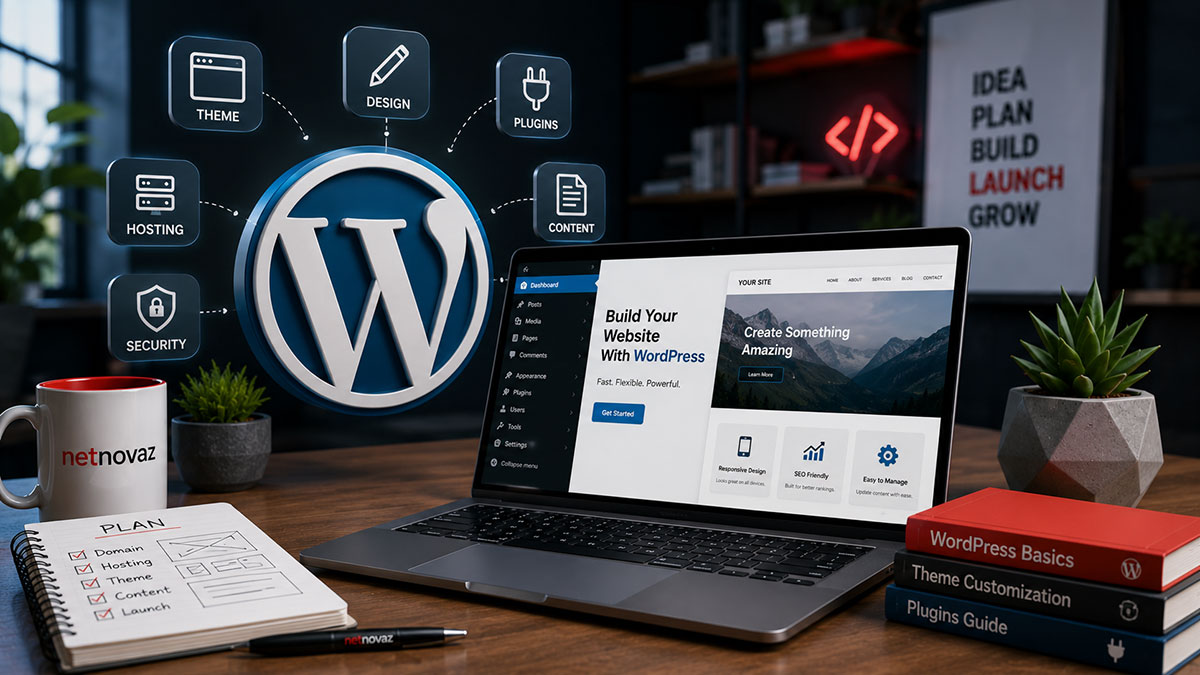
WordPress still powers a substantial share of all websites globally, and among Indian SMEs it remains the default choice for good reason — it’s flexible, has a massive ecosystem of themes and plugins, and doesn’t lock a business into one vendor the way some website builders do. But ‘building a WordPress site’ can mean a $200 DIY effort or a $15,000 custom development project, and most business owners have no framework for knowing which end of that spectrum they actually need.
This guide walks through the real decisions involved in building a WordPress website for an Indian business in 2026 — hosting, theme strategy, essential plugins, and the mistakes that cause the most rework down the line.
Choosing Hosting: The Decision That Affects Everything Else
Hosting is the single most underrated decision in a WordPress build, because it silently determines site speed, uptime, and security for the life of the website. Cheap shared hosting, common with budget domain registrars in India, often means a site sharing server resources with hundreds of other unrelated websites — one of which having a traffic spike or a security issue can slow down or take down every site sharing that server.
For a business site expected to carry real traffic and, ideally, rank in Google search, managed WordPress hosting or a quality cloud hosting provider is worth the modest additional monthly cost. The difference shows up directly in page load speed, which affects both visitor experience and Google’s ranking signals.
Theme Strategy: Custom vs Pre-Built
A pre-built theme, properly customised, is the right call for most SME budgets and timelines — the ecosystem of quality WordPress themes has matured enough that a well-chosen, well-configured theme can look genuinely custom without the cost of building one from scratch. The mistake to avoid is picking a theme that’s visually appealing in its demo but bloated with unused features, since every unused feature adds page weight and slows the site down.
Fully custom theme development makes sense when a business has specific functional requirements a pre-built theme can’t accommodate cleanly — a complex booking system, a highly specific catalog structure, or unusual page layouts core to the brand experience. For most service and small e-commerce businesses, that threshold isn’t met, and a customised existing theme is the more cost-effective, faster-to-launch path.
Essential Plugins — and the Danger of Plugin Bloat
A handful of plugin categories are close to non-negotiable for any serious business site: a caching plugin for speed, an SEO plugin to manage meta tags and sitemaps, a security plugin for firewall and malware protection, and a backup plugin to protect against data loss. Beyond these essentials, restraint matters enormously — every additional plugin is additional code that has to load, additional potential for conflicts, and additional surface area for security vulnerabilities.
A common pattern Netnovaz sees when taking over an existing WordPress site is dozens of installed plugins, many inactive or redundant, silently slowing the site and creating security risk. A periodic plugin audit — removing anything not actively serving a clear purpose — is one of the simplest maintenance habits that pays off in both speed and security.
Security Considerations Specific to WordPress
WordPress’s popularity is also why it’s a common target for automated attacks — bots constantly scan the web looking for outdated WordPress installations and vulnerable plugins to exploit. Keeping WordPress core, themes, and plugins updated is the single most effective defence, along with strong, unique login credentials and limiting the number of admin-level accounts.
A web application firewall and regular automated backups round out a reasonable security baseline — the backups matter because even with good defences, having a clean recent backup to restore from turns a potential disaster into a minor inconvenience.
Realistic Costs and Timelines for 2026
A straightforward business website — five to ten pages, customised theme, standard functionality — typically takes a few weeks from kickoff to launch when handled by an experienced developer, with cost driven mainly by design customisation depth and content volume rather than the WordPress platform itself, which has no licensing fee.
More complex builds — custom booking systems, membership functionality, multi-language support, or deep e-commerce integration — extend both timeline and cost accordingly. The most reliable way to keep a WordPress project on budget and on schedule is having a clear, written scope before development starts, since scope creep during the build is the most common cause of both delays and cost overruns.