
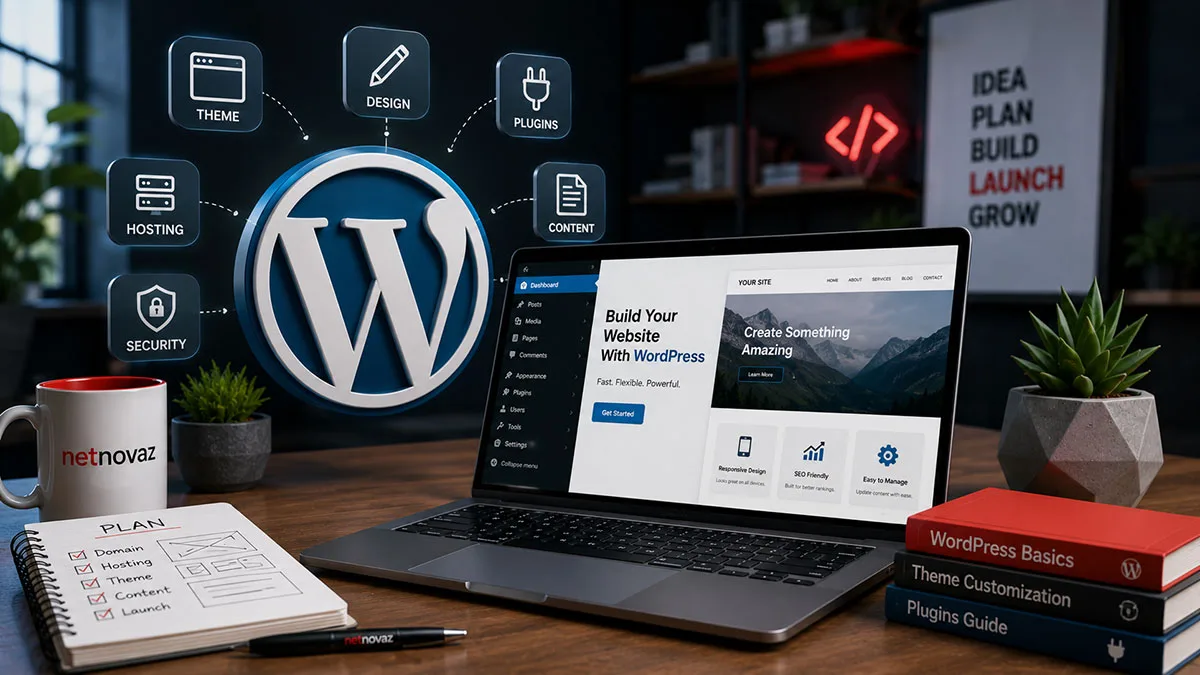
In 2026, WordPress powers over 43% of all websites on the internet. Yet in India, it remains one of the most polarizing software platforms in commercial business. For every enterprise that scales a multi-crore WooCommerce store or a high-ranking corporate publication on WordPress, there are five frustrated business owners who spent ₹15,000 with a local freelancer, only to end up with a painfully slow website, random critical errors, and a constant fear of malware hacks.
The problem is rarely WordPress itself. WordPress is an enterprise-grade open-source engine used by Fortune 500 corporations, major Indian news portals, and leading D2C brands. The real problem is how WordPress websites are built, sold, and maintained across the Indian market.
Between the proliferation of pirated "nulled" themes, the overuse of heavy drag-and-drop page builders that wreck Google Core Web Vitals, and foreign hosting servers situated 10,000 kilometers away from Indian users, most businesses enter the process completely misinformed. This comprehensive 2026 guide breaks down the actual costs, technical choices, hosting architecture, payment gateways, and security standards needed to build a fast, revenue-generating WordPress website in India.
Key Takeaway for Decision Makers
A professional WordPress website is software, not static graphic design. If your developer cannot explain how they plan to achieve sub-2-second Largest Contentful Paint (LCP) on Indian mobile 4G networks, which database caching layer they will configure, or how they protect against WP-JSON brute-force exploits, you are buying a fragile digital brochure rather than a commercial asset.
Of global web experiences powered by WordPress in 2026
Core Web Vitals LCP threshold achieved on custom lightweight WordPress themes
Of Indian online shoppers complete payments via UPI Intent over mobile
Google PageSpeed Performance score possible with clean code & local Mumbai hosting
The "₹4,999 Website" Trap: Why Cheap WordPress Builds Fail
Type "website developer in Delhi" or "website design India" into Google, and you will see dozens of ads promising: "Complete 5-Page Website for ₹4,999 with Free Domain & Hosting!" For a small business owner, this sounds irresistibly attractive. But here is what actually happens behind the scenes of those bargain offers:
To make a profit at ₹5,000, the developer cannot spend more than 3 hours on your project. They download a pirated ("nulled") commercial theme from unauthorized file-sharing websites, install 35 bloated plugins to mimic functionality, and host your files on a crowded shared server along with 2,000 other websites.
- Pre-Installed Backdoors & Malware: Over 75% of nulled themes contain obfuscated PHP scripts that inject gambling, pharmaceutical, or redirect links into your footer after 60 days, destroying your Google domain reputation.
- Catastrophic Mobile Page Load Speeds: Loaded with unused JavaScript and excessive CSS libraries, these sites take 6 to 9 seconds to render on mobile devices in tier-2 Indian cities, leading to an 80%+ immediate bounce rate.
- Plugin Update Collapse: Because the plugins were pirated, they cannot be updated automatically. The moment WordPress releases a core security patch, the site displays a fatal "White Screen of Death" error.
- Zero Technical SEO Readiness: Missing structured schema, duplicate H1 tags, broken canonical URLs, and uncompressed multi-megabyte banners guarantee the site will never rank for commercial search terms.
Custom Themes vs. Page Builders: The 2026 Performance Battle
In 2026, Google's search algorithms evaluate mobile user experience through stringent Core Web Vitals metrics: Largest Contentful Paint (LCP), Interaction to Next Paint (INP), and Cumulative Layout Shift (CLS). This has created a massive performance divergence between visual page builders and custom code architectures:
The Cost of Page Builders (Elementor, Divi, WPBakery)
Page builders democratized website creation by allowing non-programmers to drag and drop visual containers. However, this flexibility comes at a severe computational cost. A single simple headline inside Elementor often generates 14 nested <div> tags and forces the browser to download 300KB+ of external styles and scripts. On high-end desktop broadband, this difference is hardly noticeable. On an affordable Android smartphone connected to 4G in Lucknow or Indore, the page freezes during render.
The Clean Custom Block Approach (Gutenberg, Timber, ACF)
Professional agencies build on WordPress using clean native Gutenberg blocks, Advanced Custom Fields (ACF Pro), or modern lightweight PHP/SCSS templates. This approach outputs lean semantic HTML (1-2 nested tags per element), loads zero bloatware libraries, and allows client teams to edit copy and photos just as easily via WordPress's native visual block editor.
| Evaluation Metric | Heavy Page Builder (Elementor/Divi) | Pre-Made Themeforest Theme | Custom Block-Based Architecture |
|---|---|---|---|
| Mobile PageSpeed Score | 35 – 60 / 100 | 45 – 70 / 100 | 92 – 99 / 100 |
| Average DOM Element Count | 1,800+ Elements | 1,400+ Elements | < 450 Lean Elements |
| Plugin Dependency | High (25–40 Plugins) | High (20–35 Plugins) | Minimal (5–12 Plugins) |
| Security Attack Surface | Moderate to High | High (Vulnerable Code) | Strict & Hardened |
| Long-Term Maintenance Cost | Annual License Renewals | Frequent Breakages | Low & Extremely Stable |
Realistic WordPress Development Costs in India (2026)
What does a reliable WordPress website actually cost in the Indian market? Let’s dissect the real numbers across hosting, domain infrastructure, custom design, and ongoing security:
- Domain Registration (.in / .com): ₹800 to ₹1,400 per year via accredited Indian registrars like Dynadot, GoDaddy, or Namecheap.
- Managed Cloud Hosting (Mumbai Datacenter): ₹4,000 to ₹18,000 per year for high-speed cloud instances (Cloudways, Hostinger Business, or AWS Lightsail) featuring NVMe SSD storage, Redis object caching, and local edge routing.
- Small Business / Corporate WordPress Development: ₹25,000 to ₹65,000 for a custom, bespoke 8-to-15 page corporate site designed around your brand guidelines with lead capture forms, WhatsApp integration, and on-page technical SEO.
- WooCommerce E-Commerce Store: ₹60,000 to ₹1,80,000+ for a full catalog setup, Razorpay/Cashfree payment gateways, Shiprocket/Delhivery logistics integration, automated GST tax invoicing, and abandoned cart automations.
- Annual Maintenance & Security Retainer: ₹12,000 to ₹36,000 annually for daily cloud backups, monthly plugin staging audits, 99.9% uptime monitoring, and vulnerability patching.
Hosting Architecture: Why Server Location in India Matters
One of the most overlooked factors in website speed is physical server geography. If your target market is in India, but your website files are stored on a shared server in Texas or Frankfurt, every single HTTP request must travel 15,000 kilometers across undersea fiber optic cables.
This physical round-trip introduces 200ms to 350ms of network latency on every connection. Multiply that by 40 assets (CSS, fonts, images, scripts), and your page load time increases by 2 to 3 seconds before the user's browser has even begun rendering content.
- Choose Mumbai Datacenter Locations: Select hosting providers that offer physical server instances in Mumbai (ap-south-1) or Bengaluru. Network ping to Delhi, Mumbai, or Bengaluru drops to just 15–35 milliseconds.
- Implement LiteSpeed or Nginx with Redis Cache: Avoid outdated Apache servers. Modern LiteSpeed Web Server (LSWS) with object-level Redis caching serves dynamic database queries instantaneously from memory.
- Deploy Cloudflare CDN with Indian PoPs: Cloudflare operates edge data centers in Delhi, Mumbai, Chennai, Kolkata, and Hyderabad, delivering cached images and static files right from the user’s local telecom exchange.
WooCommerce & the Indian Payment Gateway Ecosystem in 2026
If you sell products or services online in India, WooCommerce is one of the most cost-effective e-commerce engines in the world—costing a fraction of Shopify's monthly app subscriptions and transaction surcharges. However, successful e-commerce in India requires deep adaptation to local buying behavior:
1. Frictionless UPI 1-Click Payments (Razorpay, Cashfree, PhonePe)
Over 80% of digital e-commerce transactions in India occur via Unified Payments Interface (UPI). In 2026, forcing a customer to manually enter a 16-digit debit card number and wait for an SMS OTP will cause a 50%+ checkout abandonment rate. Modern WooCommerce stores integrate official Razorpay or PhonePe plugins that invoke native mobile UPI Intent—opening Google Pay, Paytm, or PhonePe directly on the customer's phone for biometric fingerprint approval.
2. Automated GST Compliance & E-Way Invoicing
Indian B2B buyers require valid GST tax invoices with their company GSTIN clearly printed to claim Input Tax Credit (ITC). Clean WooCommerce builds incorporate automated GST calculation plugins that validate state-level CGST/SGST versus interstate IGST rates and generate downloadable PDF tax invoices upon order confirmation.
3. Automated Logistics & COD Verification via WhatsApp
Cash on Delivery (COD) still represents 40–55% of e-commerce orders in tier-2 and tier-3 Indian cities. Without order confirmation, Return to Origin (RTO) courier costs can destroy profit margins. Integrating WooCommerce with automated WhatsApp Business API bots allows you to send instant order verification prompts, reducing bogus COD dispatches by up to 35%.
WordPress Security: 5 Non-Negotiable Hardening Steps
Because WordPress powers nearly half the web, automated hacker bots scan the internet 24/7 searching for known vulnerabilities in unpatched plugins. Securing your WordPress installation does not require costly enterprise software—it requires following disciplined engineering hygiene:
- Enforce Two-Factor Authentication (2FA): Require all admin and editor accounts to log in using Google Authenticator or biometric Passkeys, rendering brute-force password guessing impossible.
- Change the Default Admin Login URL: Move
/wp-adminand/wp-login.phpto a masked custom slug to block 99% of automated credential stuffing bots before they reach your database. - Disable XML-RPC & REST API Enumeration: Turn off XML-RPC functionality unless explicitly needed by mobile apps. Block public user enumeration so hackers cannot easily scrape your administrator username.
- Implement Web Application Firewall (WAF): Use Cloudflare Edge WAF or Wordfence to filter malicious SQL injection queries and cross-site scripting (XSS) payloads before they hit your web host.
- Daily Automated Cloud Backups (Offsite): Never store your only backup on the same server as your website. Automate encrypted off-site daily backups to Amazon S3, Google Drive, or Wasabi cloud storage.
The 2026 WordPress Launch Checklist for Indian Businesses
Before taking your business website live to the public, audit your site against this technical launch checklist to ensure top-tier performance, security, and search engine discoverability:
- Step 1: Verify Google Search Console & Sitemap: Generate a dynamic XML sitemap via Rank Math or Yoast SEO and submit it directly to Google Search Console to index all commercial URLs.
- Step 2: Convert All Visuals to Next-Gen WebP: Ensure every banner, hero image, and team photo is served in WebP or AVIF format under 150KB to protect mobile data bandwidth.
- Step 3: Test Real-Time WhatsApp Click-to-Chat: Confirm that floating WhatsApp buttons and inquiry forms pass pre-filled product titles and campaign UTM parameters into your sales inbox.
- Step 4: Execute Test Gateway Payments: Run live ₹1 real-money transactions through Razorpay, PhonePe, and NetBanking to verify webhook callbacks, order status triggers, and customer receipt delivery.
- Step 5: Benchmark Mobile Google PageSpeed Scores: Validate that the production URL achieves an 85+ score on Google PageSpeed Insights on mobile without visual layout shifts (CLS < 0.1).
Frequently Asked Questions (FAQ) About WordPress in India
Q1. Is WordPress better than Shopify for Indian e-commerce businesses?
It depends on your scale and technical comfort. Shopify offers faster out-of-the-box setup but charges recurring monthly subscription fees ($39–$399/month), transaction commissions on third-party gateways, and expensive app fees. WooCommerce on WordPress gives you 100% data ownership, zero platform commissions, infinite design customization, and much lower long-term operating costs.
Q2. Can a WordPress website handle 50,000+ daily visitors?
Absolutely. High-traffic Indian media portals and brands handle millions of monthly pageviews on WordPress. The key is proper architecture: running a clean, bloat-free custom theme, utilizing Redis object caching, offloading static media to an Amazon S3 CDN, and deploying on scalable cloud VPS infrastructure.
Q3. How long does it take to develop a custom WordPress website in India?
A professional corporate WordPress website typically requires 3 to 5 weeks from initial UI/UX wireframing to custom block development, content formatting, QA testing, and launch. E-commerce WooCommerce stores with payment and shipping logistics generally take 5 to 8 weeks.
Q4. Do I need coding skills to edit content on a custom WordPress website?
Not at all. When built properly by an agency like NetNovaz, your custom website uses WordPress’s intuitive Gutenberg block editor. You can easily modify headlines, upload banners, publish blog posts, add new team members, and update product pricing through a user-friendly visual dashboard without touching a single line of code.
Leave a Reply
Your email address will not be published. Required fields are marked *